Clear SEO.
Real control.
NitiSEO is a free technical SEO plugin for WordPress. It handles titles, descriptions, structured data, sitemaps and redirects, and shows you what is automatic and what you wrote yourself.
Version 1.1.41 for WordPress 6.9 or later and PHP 8.1 or later.
- Adds nothing to your public pages until you click “Finish”.
- Adds no CSS or JavaScript to your pages and posts.
- No paid version, no ads and no accounts.
See what your site sends to search engines
For every public page, NitiSEO prepares the title, the description, the canonical URL, the instructions for search engines, the structured data and the data for sharing on social media.
With “Check a page” you read any URL on your site the way a search engine reads it, and you see what’s worth reviewing.
Can search engines see it?
- It’s public and responds correctly
200 - Allowed to show in search engines
index, follow - robots.txt doesn’t block it
- Its original URL is itself
canonical - It’s in the sitemap
What do they see?
- One title and one description
- Structured data
WebPage · NewsArticle · BreadcrumbList - Data for sharing on social media
Open Graph - A content image has no alt text · pier.jpgDescribe itReview
If a required field is missing, that output is left out. NitiSEO never fills gaps with invented data.
Five steps, and nothing changes until you click “Finish”
The first setup takes about two minutes. It starts from what your WordPress already knows and, based on what you publish, sets everything up.
- Step 1 of 5
What you publish
News, videos or a general site. You can choose more than one.
- Step 2 of 5
Your logo and name
It comes filled in with what your WordPress already has. You review the logo, who publishes, the language, the title separator and the sharing image.
- Step 3 of 5
robots.txt
You see how it will look before you save it. If your server has its own file, NitiSEO leaves it alone.
- Step 4 of 5
Other SEO plugins
If you have Rank Math, you choose between bringing its data over or starting from scratch. Yoast SEO data is imported from Settings.
- Step 5 of 5
Done
You review what stays on, the category URLs, IndexNow and the interface mode.
Basic or Advanced
The everyday things. Title, description, visibility, sitemaps, robots.txt, redirects, IndexNow and notices. It’s the recommended mode.
Each person picks their own mode. Switching it only shows or hides options, changes nothing on your site, and important notices always show.
It adapts to what you publish
News outlets, video sites and general content sites. Tell NitiSEO what you publish and it turns on what fits.
News and video stay off unless you choose them, they don’t appear on any screen, and you can turn them on anytime in Settings › Features.
This is the first step of the setup. Tick and untick the options to see what changes.
What do you publish?
It’s the only thing we need to know. With this, we set everything up; you can choose more than one.
Turned on
- The basics. Titles and descriptions, general and image sitemap, basic structured data, social media, robots.txt, redirects and 404s, automatic alt text and keywords.
- News. News sitemap for the last 48 hours and news markup with authorship and dates.
Stays off
- Video. No video sitemap, no video inventory and no “Video” option in the editor.
It won’t appear on any screen. Turn it on whenever you want in Settings › Features.
About news. The news sitemap lists what was published in the last 48 hours, and each story drops off on its own after two days. News stories always send their published and updated dates.
Everything for each post, in one panel
The NitiSEO panel is in the block editor and the classic editor, and categories and tags have their own. At the top you see the post’s status, with a button to sort out each pending item.
The first one is the main one. It’s a writing aid. Google doesn’t use this field.
Keywords without a score
Up to five per post, and the first is the main one. NitiSEO checks whether it’s in the title, the description, the URL, the first paragraph and the subheadings, and warns you if another post already uses it as its main keyword.
Google preview
On desktop and on mobile. It measures the width in pixels and tells you whether the title and description fit, or on which screen they get cut off.
When shared on social media
Previews for Facebook, X, WhatsApp and LinkedIn. If the image isn’t the shape social networks use, NitiSEO makes a separate 1200 × 630 copy. Landscape photos are cropped around the most detailed area, and square and portrait ones show whole over a blurred background. Your original doesn’t change.
Alt text with judgment
The featured image uses the Media Library text, its caption or the post title. Content images use the Media Library text or their caption and, if they have neither, you’re asked when you insert them. Never the file name or your keywords.
Authors and dates
Sign posts with one or two authors, with their job title and social profiles in the structured data. Mark when an update is an editorial correction and, if you prefer, stop sending dates to Google by content type or on a single post.
In the lists too
An SEO column, filters and quick edit for visibility, title, description and keywords, without opening each post.
Technical upkeep, with rules you can read
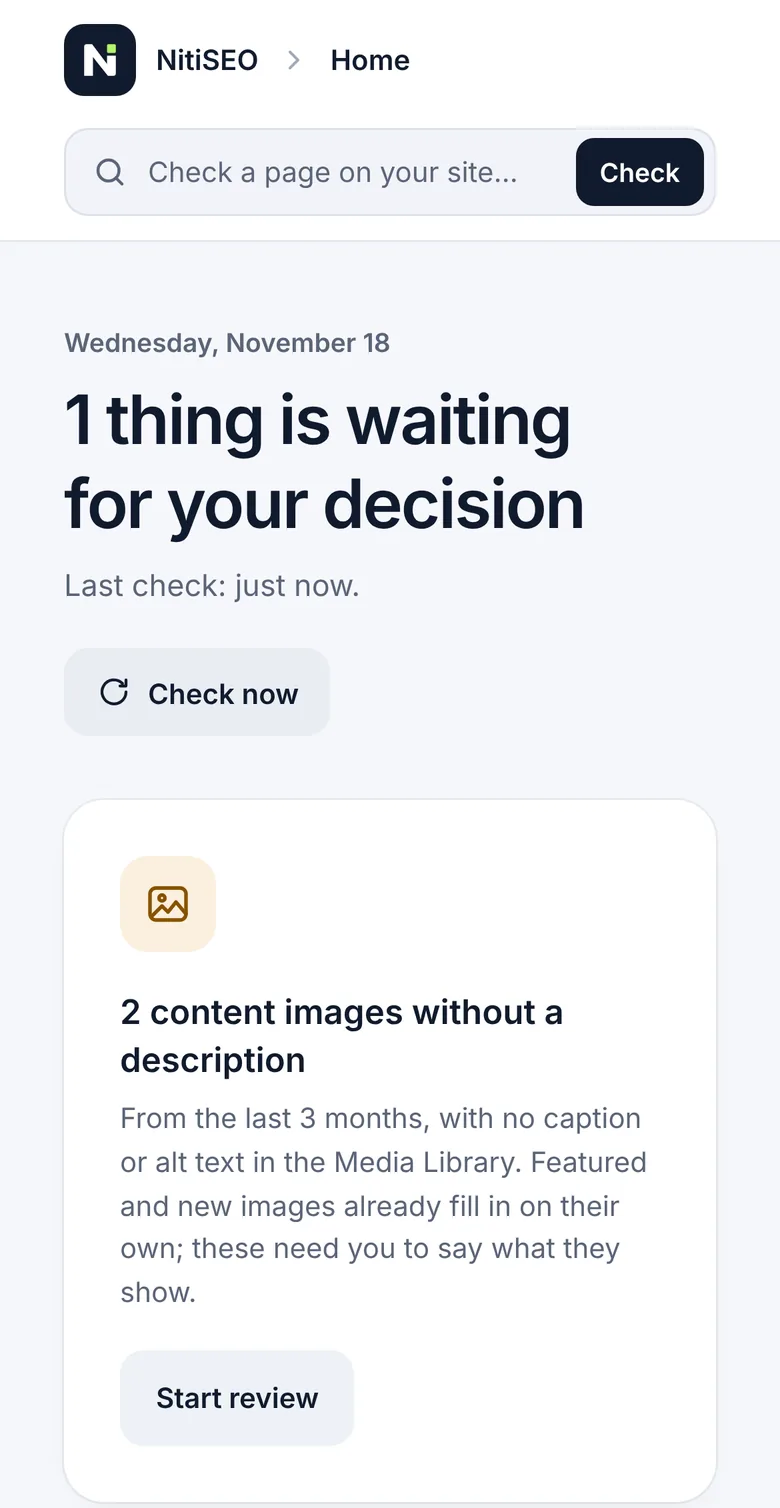
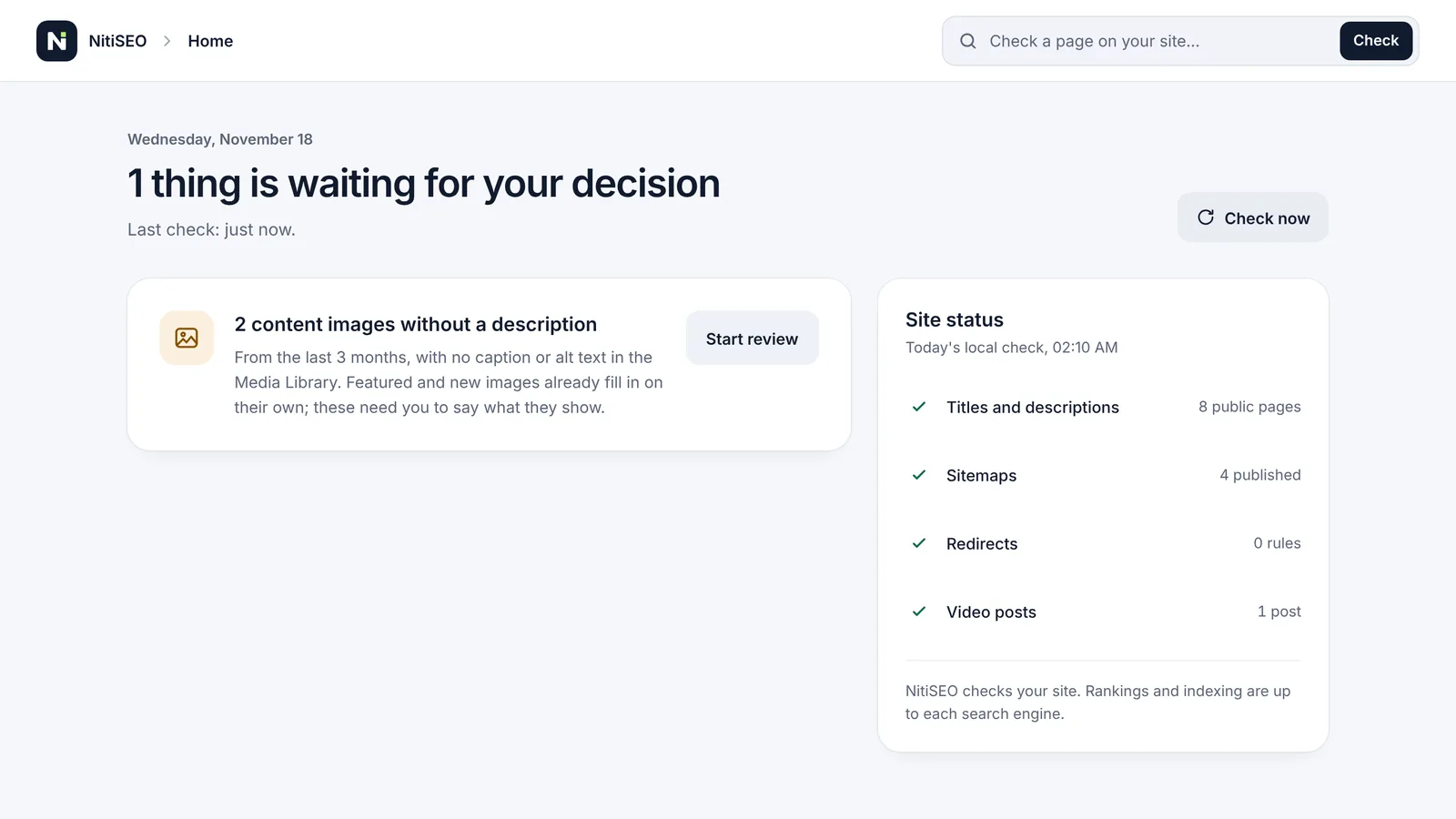
Redirects, 404 errors, sitemaps and robots.txt run on rules you can see. The “To do” screen only shows what needs your decision.
- Redirects
Permanent, temporary and “Gone”, matched on the exact path. You’re warned about loops, chains and duplicates, and the home page plus the admin, login and sitemap URLs are protected.
301302410307and308in Advanced mode- Categories without /category/
On by default. Old URLs redirect on their own with a 301, including subcategories and their pages 2, 3… Tags keep their base.
- 404 errors
One count per day and URL, without storing IPs, cookies, referrers or parameters. It keeps 30 days, or 60, 90 or 180 in Advanced mode. URLs that keep failing move to “To do” with a suggested destination.
- Sitemaps
General and images, news from the last 48 hours, and video. They replace the WordPress one and leave out what’s hidden and what redirects or no longer exists. Clean XML for search engines and a readable page for people.
- robots.txt
It adds your sitemap line and checks that it doesn’t block the site or its styles. If your server has its own file, it doesn’t change it and tells you what’s missing.
- Visibility
Posts, pages, categories, tags and authors visible; date archives, internal searches and attachments hidden. With the News profile, tags start hidden. You change it by content type or on each post.
- IndexNow and llms.txt
Optional and off, and llms.txt only shows in Advanced mode. Before turning them on you see exactly what’s shared. Google doesn’t use IndexNow.
- Scheduled tasks
It uses Action Scheduler, which comes bundled with the plugin. No server changes needed.
Switch SEO plugins without duplicate tags
If Rank Math, Yoast SEO, All in One SEO, SEOPress or The SEO Framework is active, NitiSEO stays in preparation mode and adds nothing to your pages. You decide when to deactivate the other plugin. NitiSEO doesn’t do it for you.
Meanwhile, “Check a page” shows you, item by item, what your current plugin outputs and what NitiSEO will output.
Import from Rank Math or Yoast SEO
Step by step. First we simulate, then you decide.
- 1BackupYou confirm you have a recent backup of your site. NitiSEO doesn’t make it for you.
- 2SimulationYou see which data is ready, which differs from what you already have and which won’t be imported. Nothing is written yet.
- 3Differences and importKeep what you have, use the other plugin’s values or decide case by case, side by side.
- 4Compare resultsA sample of pages against what the other plugin generated, so you see what changes.
- 5Turn on NitiSEOYou deactivate the other plugin in Plugins, and NitiSEO starts as soon as it detects that.
What comes over
- Content
- Posts, categories and tags, with their title, description, keywords, social image and text, visibility and canonical URL.
- Authors
- Their title and description, whether their page shows in search engines, and their profiles.
- Redirects
- Exact match redirects from Rank Math, and those from Yoast SEO Premium.
- General settings
- Optional, behind a separate checkbox that comes unticked, because they change titles across the whole site. A setting you already changed in NitiSEO is never overwritten.
Anything that can’t come over shows up in the simulation with its reason. If your site has data from both plugins, you choose which one to import.
The other plugin’s data is never deleted at any step. The import runs in batches even if you leave the screen, and on large sites the simulation also runs in chunks. You can undo whatever you haven’t changed since.
It works inside your WordPress
NitiSEO tracks no one and does its job without external services. The only optional connection, IndexNow, comes switched off and asks for your permission.
- The 404 error log never stores IP addresses, cookies, referrers or query parameters.
- Videos are detected inside your site, without requests to any service.
- If you allow IndexNow, it sends the URLs of what you publish, change or remove, plus your site’s key. Never the content, drafts or visitor data.
- If you deactivate NitiSEO, your data stays. If you delete it, your data stays too, unless you first choose to remove it in its Settings.
NitiSEO checks your site. Rankings and indexing are up to each search engine.
Before you install
- Version
- 1.1.41
- WordPress
- 6.9 or later, tested up to 7.1
- PHP
- 8.1 or later. The GD extension, to adapt images for social media.
- Theme
- One that lets WordPress manage the page title, as current themes do.
- Languages
- Each person sees it in their profile language. It’s available in English and Spanish. French, Italian, Simplified Chinese and Japanese are drafts pending human review. Screens also adapt to languages written from right to left.
- License
- GPLv2 or later
Does activating NitiSEO change my site?
No. Until you click “Finish” in the first setup, it adds nothing to your public pages.
Can I use it alongside another SEO plugin?
Yes, while you prepare the switch. If Rank Math, Yoast SEO, All in One SEO, SEOPress or The SEO Framework is active, NitiSEO outputs nothing, so you never get duplicate tags.
Can I bring my data from Rank Math or Yoast SEO?
Yes. You see a simulation first, you can undo the import, and the other plugin’s data is never deleted. Nothing is imported from All in One SEO, SEOPress or The SEO Framework.
What if my site shouldn’t show in search engines yet?
If you asked search engines not to index the site in WordPress Settings › Reading, NitiSEO respects it. Your pages keep the WordPress noindex, and it publishes no sitemaps, IndexNow notices or llms.txt while that option stays checked.
What happens if I deactivate NitiSEO?
Your data stays. WordPress goes back to its own sitemap and category URLs, and URLs without /category/ stop working until you activate it again.
And if I delete it?
Your SEO data stays unless you first choose to delete it in NitiSEO’s Settings. Your posts, pages and images are never touched.
Can I take my setup to another site?
Yes. In Settings you download a copy with your rules, features and identity, without keys or passwords. When you restore it you see what changes before applying it, and what you wrote by hand in your posts isn’t touched.
Does it guarantee better rankings?
No. It helps your site send clear, correct information, but each search engine decides what to show.
Is there a paid version?
No. NitiSEO is free, licensed GPLv2 or later, shows no ads and doesn’t ask you for an account.
Do I need to touch the server?
No. Scheduled tasks use Action Scheduler, which comes bundled with the plugin.
Download NitiSEO and have it ready in about two minutes
Version 1.1.41. Free and licensed GPLv2 or later.
- 1Upload the ZIP file from the Plugins screen in your WordPress and activate it.
- 2Go through the first setup. It has five steps.
- 3Click “Finish” when everything looks right.